Knitting patterns on an e-reader: knitting and crochet pattern PDFs rebuilt for Kindle Scribe, Kobo Colour and Boox
A pattern PDF is a print object: letter or A4, with margins, a chart whose grid lines are a hair wide, and a colour key that only means something in colour. Open it on an e-reader and the page shrinks to fit, the chart turns into a grey smudge, and the colours of a stranded chart become three nearly identical greys. The PDF is not broken. It was made for a printer, and the reader is doing exactly what it was told.
↑ Upload and configure in our Studio
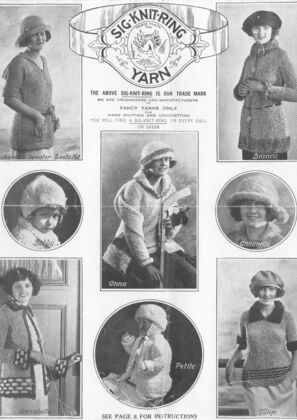
This converter treats every page of the pattern as an image and rebuilds it for the panel you own. It trims the margins so the chart fills the screen, lifts the contrast so the chart grid and the stitch symbols survive e-ink, keeps the colours of the chart so a Kobo Libra Colour or a Kindle Colorsoft shows a red square as red, and writes a file the reader opens natively: EPUB for a Kindle, KEPUB for a Kobo, EPUB or PDF for a Boox. A scanned vintage booklet goes through the same way as a designer’s PDF, which is why the demo on this page is a pattern leaflet from the 1920s.
Honest scope first: this is for patterns you hold as a PDF or as page images. It does not count rows, it does not let you tick off a repeat, and it does not reflow the text to a bigger size. It does the part that makes a pattern page legible on e-ink, in the browser, free, with a live preview before anything converts.
- Files auto-delete after 24 hours
- No install, runs in any browser
- Free to use
- The genuine open-source KCC engine
How to convert a knitting pattern PDF for a Kindle, Kobo or Boox
Drop in the pattern
A designer’s PDF, a Ravelry download, or a scanned booklet as a PDF or a ZIP of page images, up to 1GB and 1000 pages per file and 20 files per batch. A whole queue of patterns can go in as one batch and each comes out as its own book.
Crop, contrast and colour are already set
This page presets margin cropping with page-number trimming, an auto-level pass that pushes the greys of a scan towards black and white so the chart grid survives, and Keep colour, so the colours of a chart and its key are written into the file rather than flattened to greyscale. Manga mode is off, so pages read left to right.
Pick your device
The Kindle Scribe profile is preselected as a starting point. For colour charts pick a colour panel’s profile: Kindle Colorsoft, Kindle Scribe Colorsoft, Kobo Libra Colour or Kobo Clara Colour. Every greyscale Kindle and Kobo has its own profile too, and a colour chart still converts for it, just in greys. For a Boox, choose Custom conversion and type the panel’s width and height in pixels.
Check the preview, convert, download
The preview renders real pages at the device size, which is the moment to confirm the stitch symbols in the chart key are legible. Convert, then download the file or pick it up on the reader from your Reader Shelf over Wi-Fi. Files auto-delete after 24 hours.
Which e-readers work for knitting patterns, by brand
| Device | Profile in the picker | Screen | Recommended output |
|---|---|---|---|
| Kobo Libra Colour and Clara Colour | Kobo Libra Colour, Kobo Clara Colour | 7 and 6 inch colour panels; chart colours shown | KEPUB, copied over USB or downloaded from the Reader Shelf in the Kobo browser |
| Kindle Colorsoft and Kindle Scribe Colorsoft | Kindle Colorsoft, Kindle Scribe Colorsoft | 7 and 10.2 inch colour panels; chart colours shown | EPUB, delivered by Send to Kindle, the Reader Shelf or USB |
| Kindle Scribe, Kobo Elipsa and the greyscale models | A profile per model | 6 to 10.3 inch greyscale; a colour chart converts to greys | The brand’s native format, EPUB or KEPUB |
| Boox, PocketBook and other Android readers | Custom conversion | Type the panel’s pixel width and height | EPUB or PDF, downloaded in the device’s own browser from the Reader Shelf |
| reMarkable | A profile per model, reMarkable 1, 2 and Paper Pro | 10.3 to 11.8 inch; the Paper Pro is a colour panel | PDF, loaded through the reMarkable app; you can mark rows on it |
What this cannot do
No row counter, no ticking off repeats, no reflow of the text, no annotation on the converted Kindle or Kobo file, and no more colour than the panel has: a 4096-colour e-ink panel shows a chart’s colours muted and close shades can merge. Keep the PDF for marking up on a tablet; knit from the converted copy.
Thin grid lines are the risk
A chart’s grid is a hair wide on paper and a scanner or a PDF rasteriser turns it grey. The auto-level pass pushes those greys towards solid black, and the page is rebuilt at the panel’s own pixel count rather than downscaled by the device, which is what keeps a 40-row chart readable. The preview shows the real pixels before you commit.
Right to left is off here
Every manga page on this site defaults to manga mode, which stamps right-to-left reading into the output. Patterns read left to right, so this page turns manga mode off before your file goes in; you do not need to find the switch.
Frequently asked questions
Which e-reader is best for knitting patterns?
A large colour panel, if your patterns use colourwork charts: the Kobo Libra Colour and the Kindle Colorsoft are 7 inch, the Kindle Scribe Colorsoft is 10.2 inch, and a Boox Note Air with a colour panel sits in between. For cable, lace and text-only patterns a greyscale Kindle Scribe or Kobo Elipsa is just as good and the panel is larger. This page converts for any of them; pick the profile that matches the device you own.
Will the chart colours survive?
On a colour panel, yes: Keep colour is on in this page’s preset, so the file carries the chart’s colours and the device shows them. E-ink colour is muted next to a phone screen, which is the panel, not the file, and a chart with sixteen close shades may need the key beside it. On a greyscale reader the colours become greys, which is exactly what would happen to a printout on a black and white printer; the preview shows you which.
Can I tick off rows or use a row counter?
Not in the converted file. On a Kindle or Kobo it is a book of page images, and the pen tools those devices offer for PDFs do not apply to it; use the device’s own notes or a separate counter. On a reMarkable the output is a PDF, which you write on as you would any other, so you can mark rows there.
Does this work on a 6 inch Kindle or Kobo?
It works, and it is honestly cramped for a full-page chart. Cropping the margins reclaims a lot of the page, so the written instructions and a small chart are fine on a Paperwhite or a Clara. A 60-stitch colourwork chart on a 6 inch panel is small whatever you do to it; for that, a 7 inch colour reader or a 10 inch panel is the right tool.
Which output format should I choose?
EPUB for a Kindle, which is what Send to Kindle accepts. KEPUB for a Kobo, for faster page turns. EPUB or PDF for a Boox, whichever its reader app prefers. PDF for a reMarkable. CBZ gives you the cropped, contrast-fixed page images on their own if you read in a different app.
Page extraction, cropping, contrast and the colour pass run on Kindle Comic Converter (KCC), the open-source engine built for putting image-based pages on e-readers. That the pages hold charts rather than panels changes nothing about the work, which is why the fit is honest. Hosted here with a live preview, no install.
Free, margins cropped, chart colours kept, built for your panel