What a CBZ file is, and what to do with it
A CBZ file is a comic book archive: a plain ZIP containing the pages of a comic as image files, numbered so they read in order. The extension tells software to treat it as a comic rather than as a generic archive, and that is the only difference. No compression tricks, no DRM, no metadata requirement. Rename a .cbz to .zip and your file manager will open it.
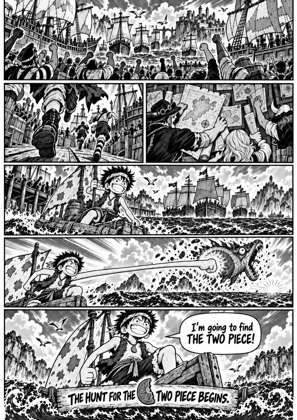
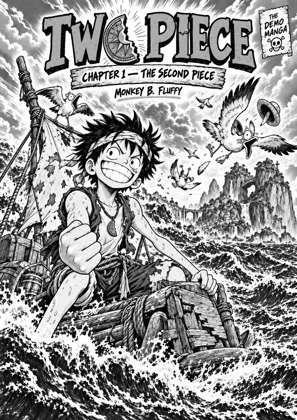
↑ Upload and configure in our Studio
Knowing that usually leaves one practical question: how do you read it on the thing you want to read it on. Comic apps on a desktop or phone open CBZ directly. E-readers mostly do not, and no Kindle ever has, so a .cbz copied onto one simply never appears. Drop yours in here and the pages are rebuilt into an EPUB, PDF or device-ready file that opens where you need it.
- Files auto-delete after 24 hours
- No install, runs in any browser
- Free to use
- The genuine open-source KCC engine
How to convert a CBZ file
Drop the .cbz in
The archive is unpacked here and the pages are read in order. Up to 20 files at once, 1GB each, so a whole series queues in one go.
Say where you are reading it
Pick your exact Kindle, Kobo or reMarkable and every page is rebuilt at that screen's true resolution, or pick a plain format target to keep it device neutral.
Check the preview
A live preview shows the converted pages before you commit. Turn on right to left reading for manga, and check spreads and lettering.
Download and transfer
Copy it over USB, use Send to Kindle, or fetch it on the device from your Reader Shelf. Files auto-delete after 24 hours.
The formats on either side
A ZIP archive of page images in reading order, optionally with a ComicInfo.xml carrying series and volume details. Universally supported by comic apps, unsupported by e-reader firmware.
How to open a CBZ fileThe open ebook format nearly every e-reader and reading app accepts, including every current Kindle. Pages are rebuilt for the target screen, so the book arrives sized rather than scaled on the device.
CBZ to EPUBWhy CBZ files get so large
A scanned volume is hundreds of full-page images at print resolution, and ZIP barely compresses an already-compressed JPEG. So the size is the pages themselves. Rebuilding each page at the pixel size your screen actually uses is what makes the file small, not harder compression.
The format is not the problem, the destination is
CBZ is a good container and there is rarely a reason to move away from it for storage. Converting is about the device at the other end: an e-reader needs a book file, and it needs the pages sized for its own screen to look right on e-ink.
Frequently asked questions
What is a CBZ file?
A ZIP archive holding the pages of a comic as images in reading order, with the extension changed to .cbz so comic software recognises it. The format is deliberately simple, which is why it became the standard for digital comics and scans.
What opens a CBZ file?
Comic reader apps on Windows, macOS, Linux, Android and iOS all open CBZ natively, and any archive tool will if you rename it to .zip. E-reader firmware generally will not, and no Kindle model can, so for those the file has to be converted first.
Is CBZ better than CBR?
For practical purposes yes, because CBZ is ZIP and CBR is RAR. ZIP support is universal while RAR is proprietary and patchier, so a CBZ opens in more places. The pages inside are identical in quality: neither format changes the images.
How do I get a CBZ onto my Kindle?
Convert it to an EPUB built on your model's profile, then send it. Send to Kindle takes 50 MB per email and 200 MB per web upload by Amazon's own figures, and a converted volume usually lands well under that because pages are rebuilt at screen size rather than print size. USB and the Reader Shelf have no such cap.
Does a CBZ hold the series name and cover?
It can. A CBZ may carry a ComicInfo.xml file with series, volume, author and more, and the first page doubles as the cover unless one is specified. Converting here writes that information into the output so your library sorts the book properly.
Can a CBZ be opened on a phone?
Yes. Several comic readers on Android and iOS open CBZ directly. Converting to EPUB is still worth it if you would rather the book sat in your normal reading app alongside everything else.
Conversion runs on Kindle Comic Converter (KCC), the open-source engine comic readers have trusted for years to prepare comics for e-readers, hosted here with a live preview so there is nothing to install.
Free, no install, live preview, every Kindle and Kobo profile ready