How to open a CBZ file
A CBZ file is a ZIP archive holding the pages of a comic as images, numbered in reading order. Rename it to .zip and your operating system will open it with no extra software at all, on Windows, macOS, Linux, Android and iOS alike. That is the honest answer to the question, and anyone telling you to install something first is overcomplicating it.
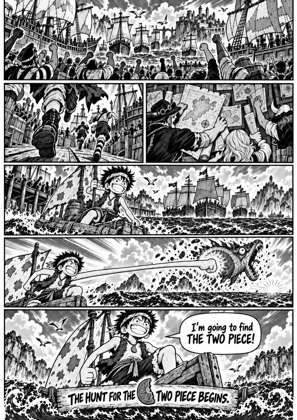
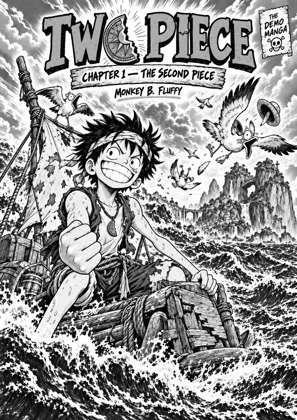
↑ Upload and configure in our Studio
The catch is what you get: a folder of 180 loose image files, which is not reading a comic. You lose the page order as soon as a viewer sorts them differently, there is no cover, no bookmark and no swiping through a volume. So if the goal is to actually read it, convert instead: the same pages come out as an EPUB or PDF that opens as a book, or as a file built for your exact Kindle, Kobo or tablet screen.
- Files auto-delete after 24 hours
- No install, runs in any browser
- Free to use
- The genuine open-source KCC engine
How to open a CBZ and actually read it
Drop the CBZ in
The archive is unpacked here and the pages are read in order. Works the same on a phone as on a desktop, with nothing to install.
Check the pages
A live preview shows the pages as they will come out. Confirm the order is right and turn on right to left reading if it is manga.
Choose how you want to read it
EPUB for an e-reader or phone library, PDF for fixed pages that open anywhere, or pick your exact device and every page is rebuilt for that screen instead of being scaled down on arrival.
Download and open it
The file downloads immediately and opens as a book, with the pages in order and a real cover. Files auto-delete after 24 hours.
CBZ is the easy one, and that is the point
ZIP support is universal, so a CBZ opens in more places than a CBR does. If some app refuses a comic archive, converting a CBR to CBZ is usually the whole fix. CBZ is also why this page can tell you to just rename it: the format is not hiding anything.
Reading on e-ink is a different job
An e-ink screen is low contrast and fixed resolution, so a print-resolution scan dropped onto it looks soft and the lettering shrinks. Rebuilding each page for the exact model keeps line art crisp and text legible, which is work no archive tool does.
Frequently asked questions
What program opens a CBZ file?
Any comic reader app, and also any archive tool, because a CBZ is a ZIP: renaming the extension to .zip lets your file manager open it with no install. What will not open it is most e-reader firmware, including every Kindle, which is why the file seems to vanish when you copy it across.
Can I open a CBZ without installing anything?
Yes, two ways. Rename it to .zip and open it with the tools your system already has, or drop it above to see the pages in your browser and convert it if you want to read it properly.
Why does unpacking it feel wrong?
Because unpacking gives you individual images, not a book. The reading order depends on how your image viewer happens to sort filenames, there is no cover and no way to flip through a volume. Converting to EPUB or PDF keeps the pages as one ordered document.
My Kindle will not show the CBZ I copied over. Why?
No Kindle has ever been able to read CBZ, and the firmware ignores the file silently rather than reporting an error. Converting it to an EPUB built on your model's real resolution is what gets those pages into the library.
Does converting lose image quality?
Pages are rebuilt at the pixel size your chosen screen uses, which usually means a much smaller file that looks the same or better on that device, because nothing is being rescaled on arrival. Pick a format target instead of a device if you would rather keep the original dimensions.
The unpacking and page rebuild run on Kindle Comic Converter (KCC), the open-source engine comic readers have trusted for years, hosted here with a live preview so there is nothing to install.
Free, no install, see the pages first, convert for any device