Webtoon to Kobo
A Kobo and a webtoon fundamentally disagree about what a page is. The Kobo shows one fixed screen at a time; a webtoon episode is a single vertical strip that can be tens of thousands of pixels tall, built for thumb-scrolling on a phone. Load that strip directly and the Kobo either refuses it or shrinks the whole episode into an unreadable sliver.
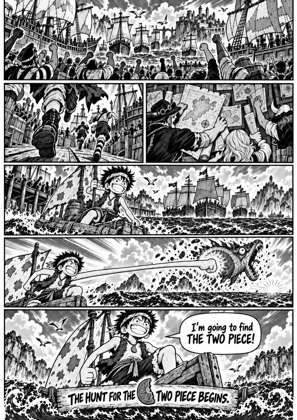
The way out is slicing: MangaConverter cuts the long strip into Kobo-screen-sized pages, choosing cut points in the gaps between panels so no speech bubble gets guillotined. Pages come out matched to your model, 1264 x 1680 for the Kobo Libra 2 preset this page starts with, and the output is an EPUB your Kobo opens natively, or Kobo's own KEPUB for the smoothest page handling.
From endless strip to Kobo pages
Drop the episodes in
Add your webtoon files as CBZ, ZIP or other archives, or PDF. Everything is unpacked in the browser and tall strips are read in scroll order.
The strip gets sliced
Each oversized vertical image is cut into screen-height pages at sensible break points between panels, turning an unshowable scroll into a paged book.
Check the cuts in the preview
The live preview shows exactly where every slice lands before you commit. If a cut sits awkwardly, adjust and re-preview until it reads cleanly.
Convert and transfer
Download the EPUB or KEPUB and copy it onto the Kobo over USB; it lands in the library like a normal book. Converted files auto-delete from the server after 24 hours.
Binge-sized batches
Queue up to 20 episodes at once, each file up to 1 GB and 1000 pages. A whole season converts in one sitting, with each episode landing as its own file.
Colour Kobos keep the colour
On a greyscale Kobo the pages are contrast-tuned for e-ink. On a Clara Colour or Libra Colour the colour art is kept as-is, sized for that exact screen.
Frequently asked questions
Why can't my Kobo just show the webtoon as-is?
Kobos page, they do not scroll. A strip thousands of pixels tall has to fit one fixed screen, so unconverted it gets shrunk until the text is illegible. Slicing it into screen-sized pages is the only way it stays readable.
Should I pick EPUB or KEPUB?
Both work on every Kobo. KEPUB is Kobo's own variant with snappier page turns and working reading stats, so for a series you are keeping it is usually the nicer choice. Both are offered here.
Where exactly does the strip get cut?
At sensible cut points, the gaps between panels, rather than at fixed pixel intervals. You can inspect every cut in the live preview before converting.
How do I get the finished file onto the Kobo?
Connect the Kobo over USB and copy the file into its library folder; it shows up as a normal book. There is no email size limit to worry about, so whole seasons transfer in one go.
Slicing and conversion are handled by Kindle Comic Converter (KCC), the open-source engine that pioneered vertical-strip splitting for e-readers. Despite the name it has first-class Kobo support, and it runs hosted in your browser. Prefer your own server? The stack is on GitHub as kcc-cloud.
Free, no install, preview every cut first